機械の前面
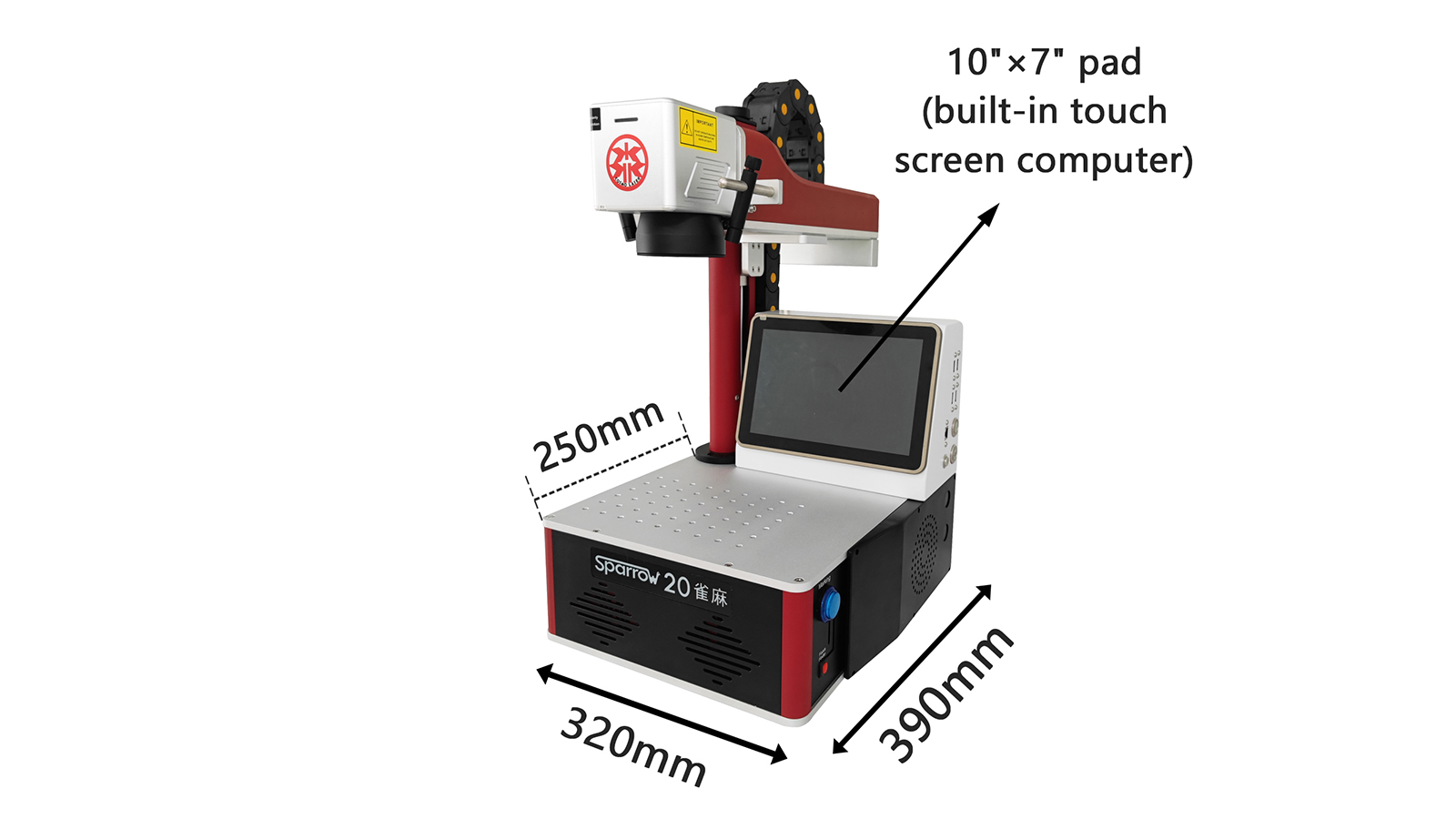
machine size

このマシンには10インチ×7インチのタッチスクリーンコンピュータが内蔵されています

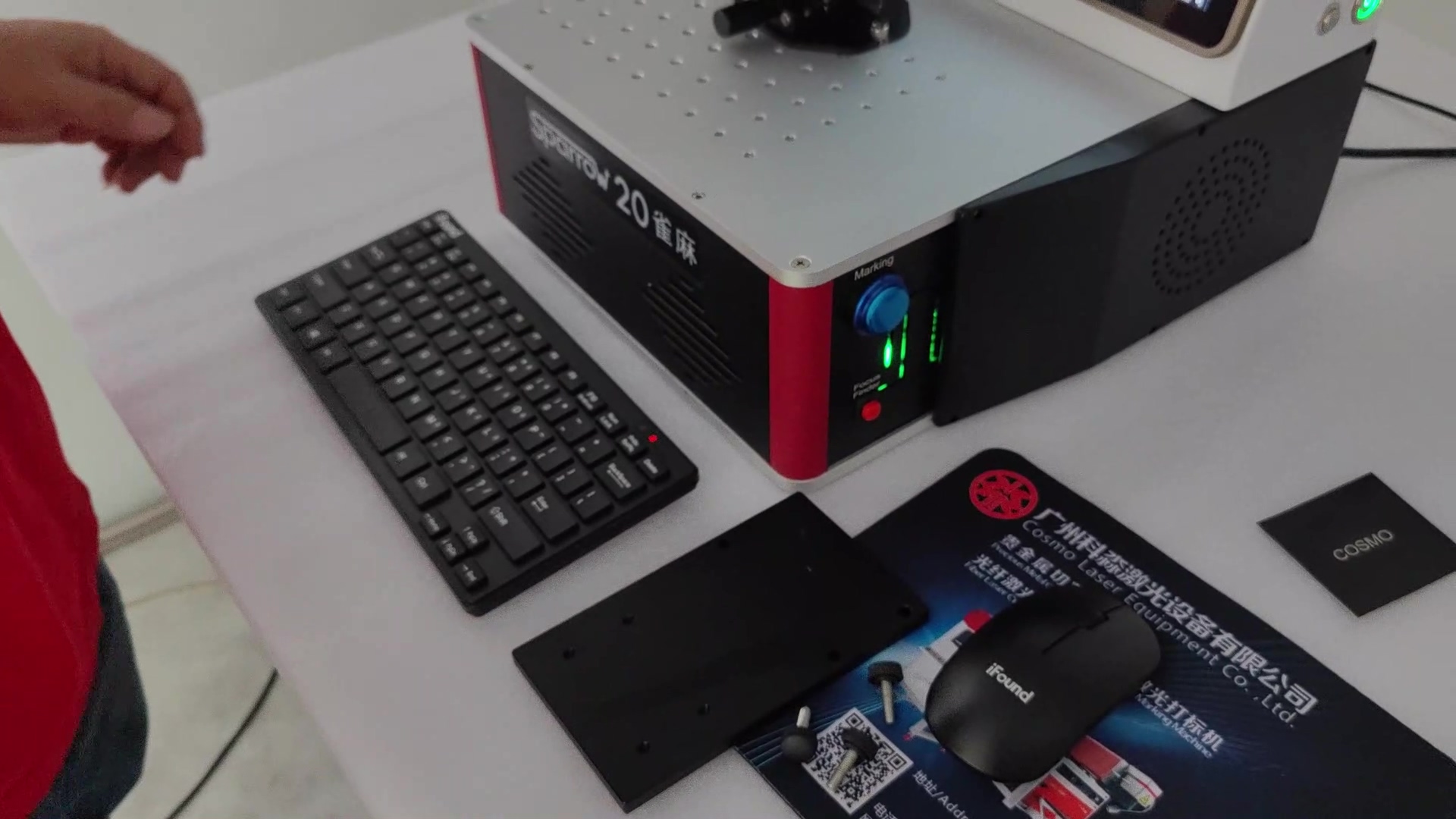
(キーボードとマウスでも制御可能)
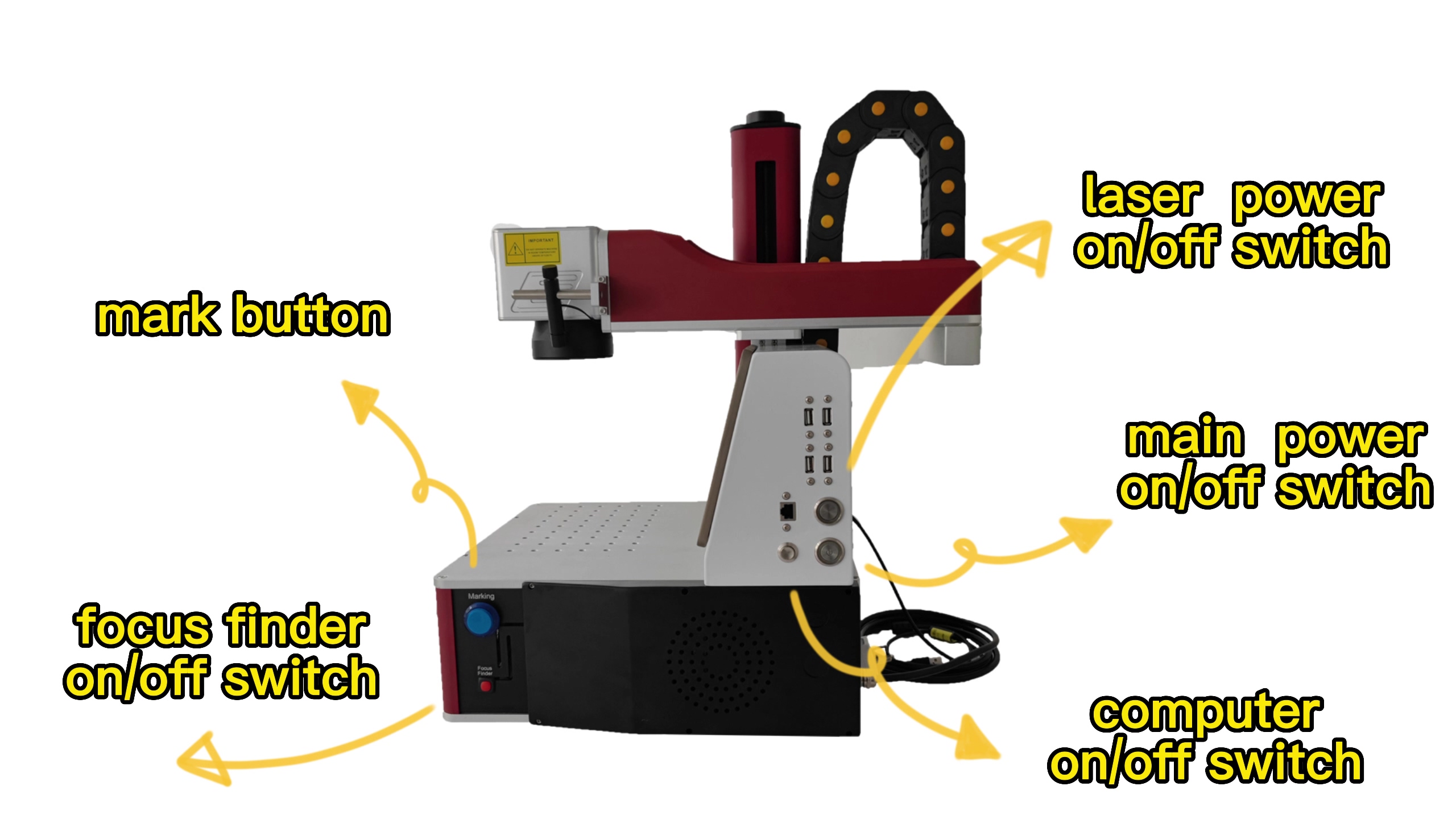
機械の側面

machine parts

マシンパーツ: 1) マークボタン

2) フォーカスファインダーオン/オフスイッチ

3) レーザー電源オン/オフ スイッチ

4) 主電源オン/オフスイッチ

5) コンピュータのオン/オフスイッチ
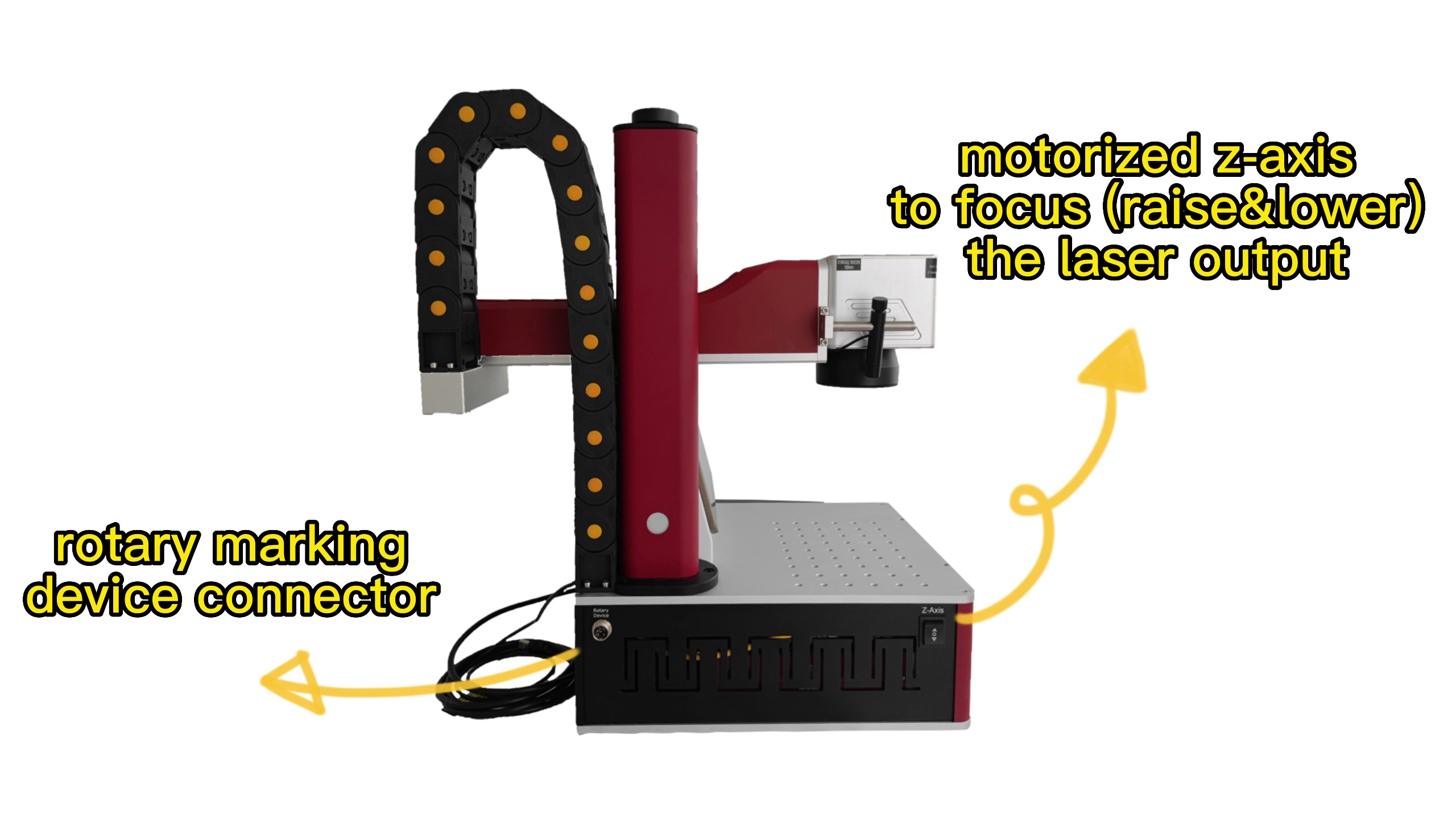
machine parts2

機械部品: 1) ロータリーマーキングデバイスコネクタ

2) 電動 Z 軸でフォーカス (上昇)&下)レーザー出力
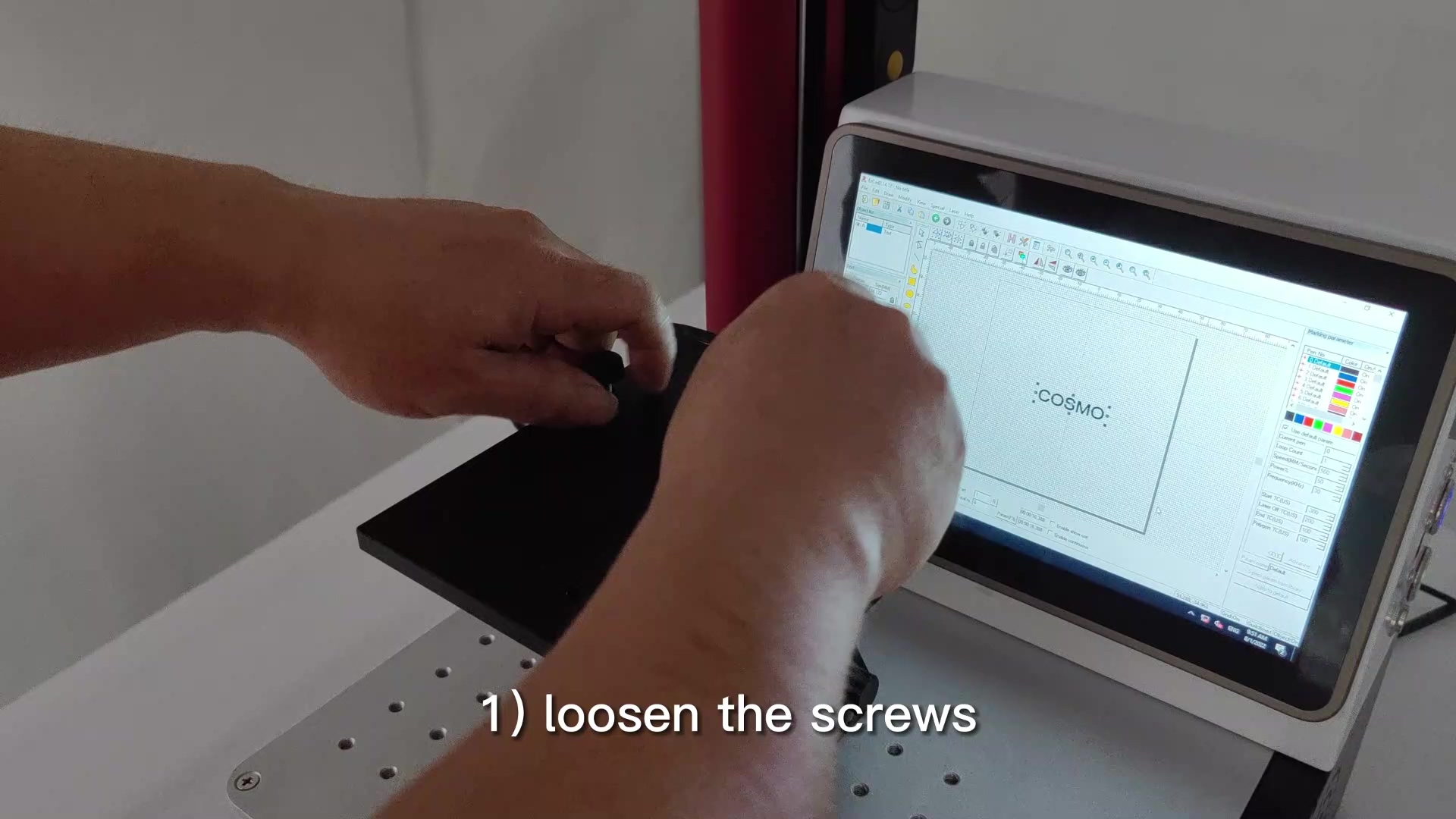

      外リングへのレーザーマーキング
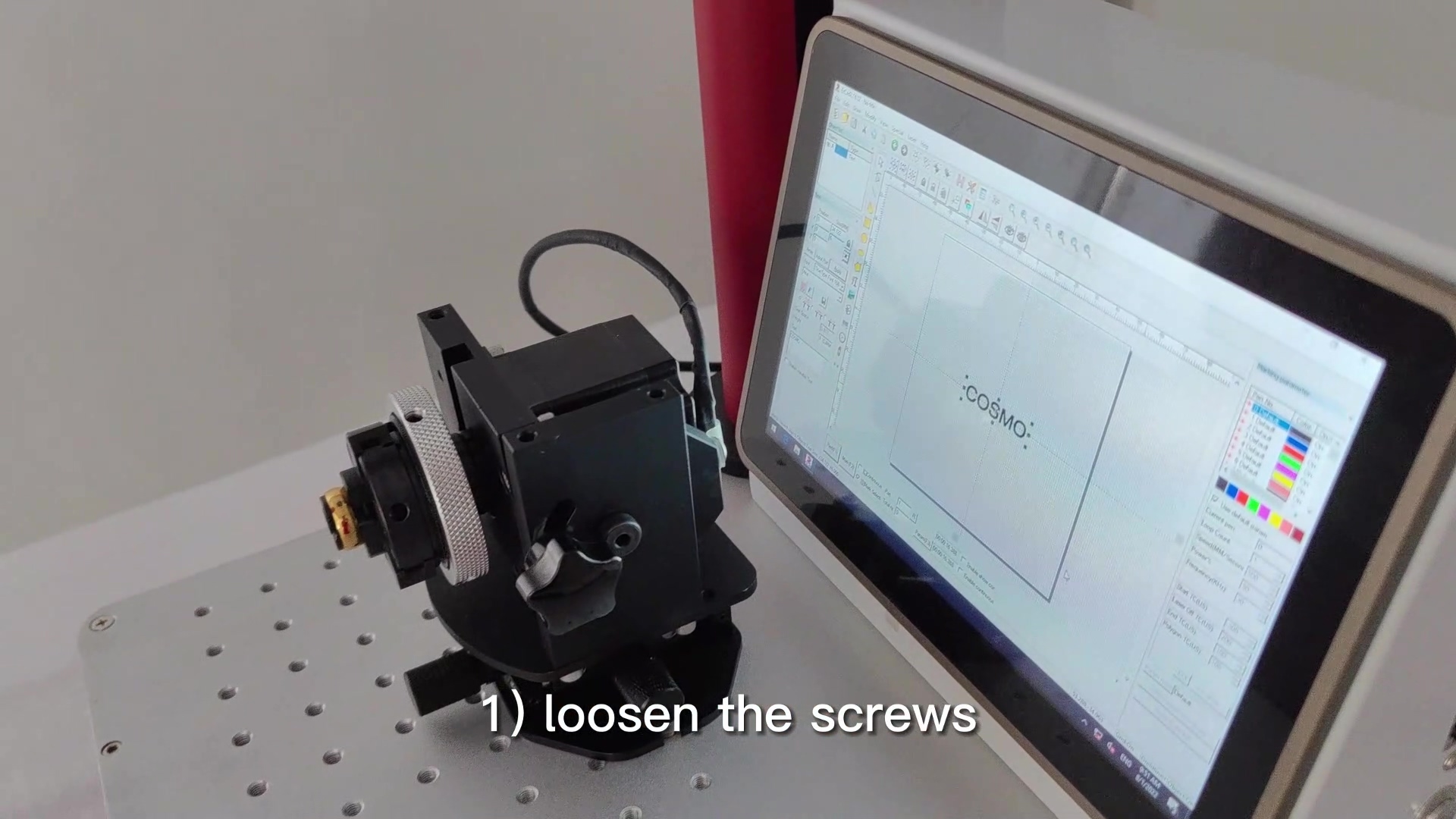
loosen the screws that link the flat workbench and rotary marking device
1) フラットワークベンチとロータリーマーキング装置を接続しているネジを緩めます。
flat workbench and screws removed
1) 平らな作業台とネジを取り外した状態
only the rotary marking device remains
1) 回転マーキング装置だけが残っています
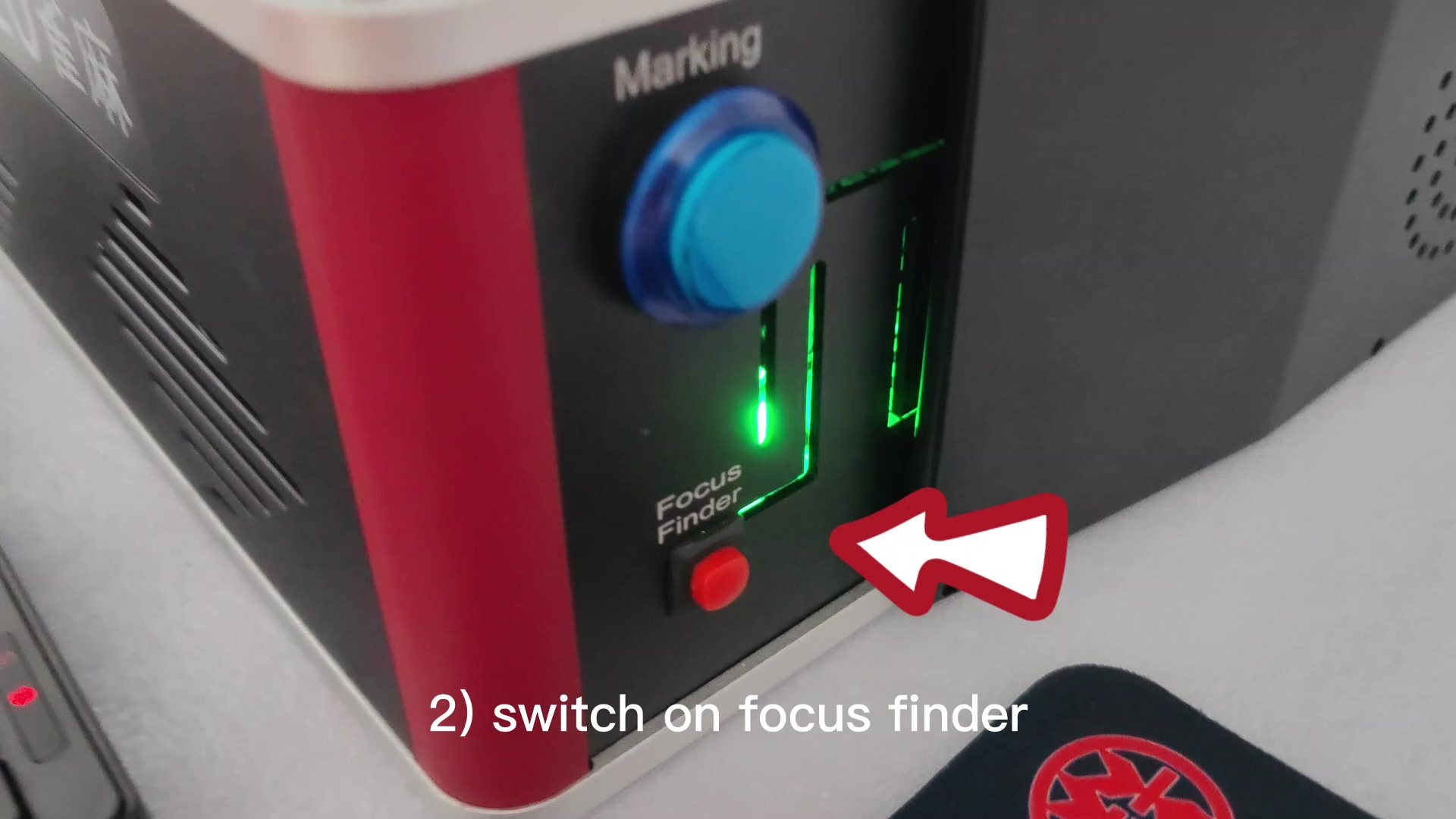
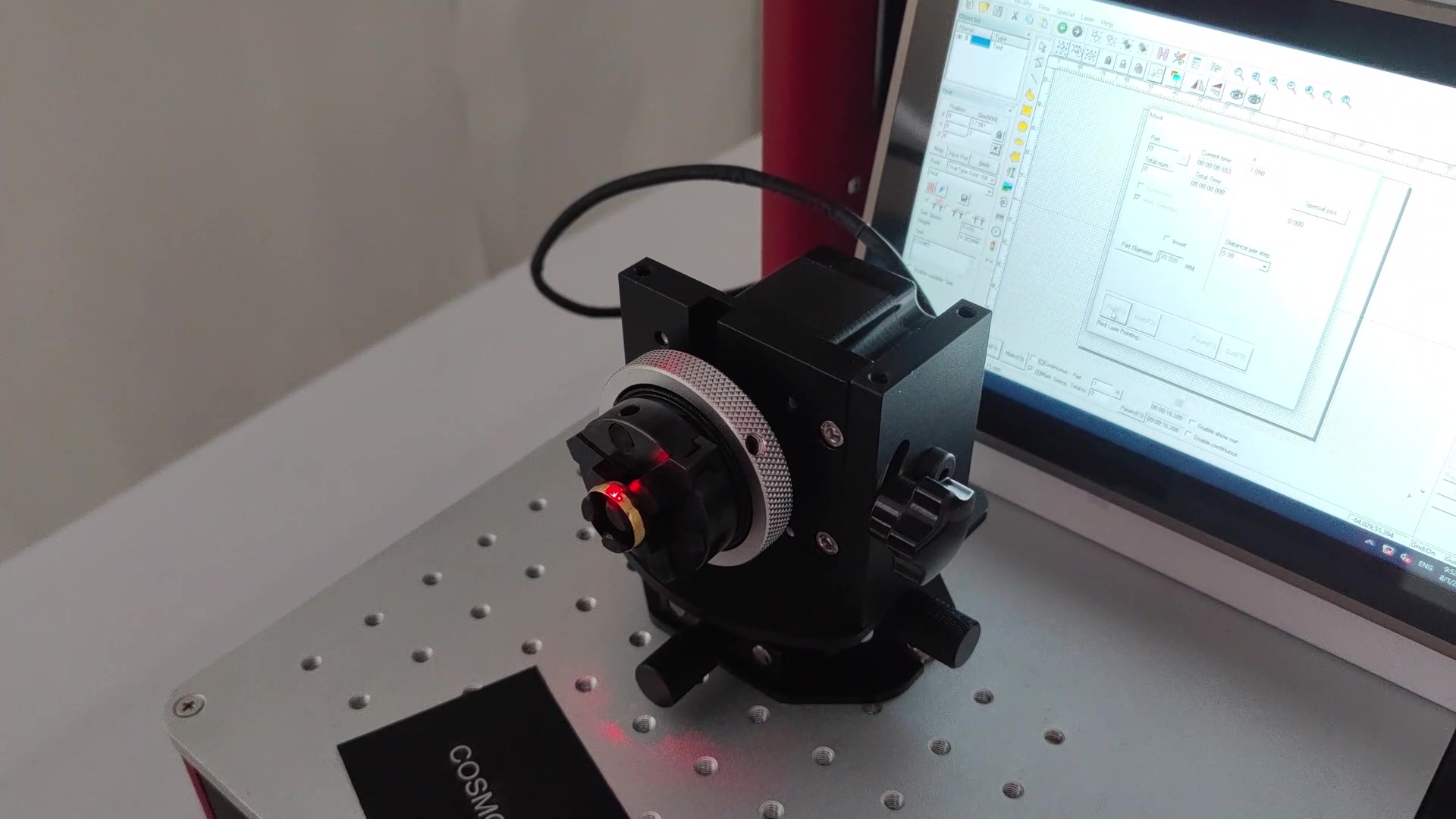
switch on the focus finder
2) フォーカスファインダーのスイッチを入れます
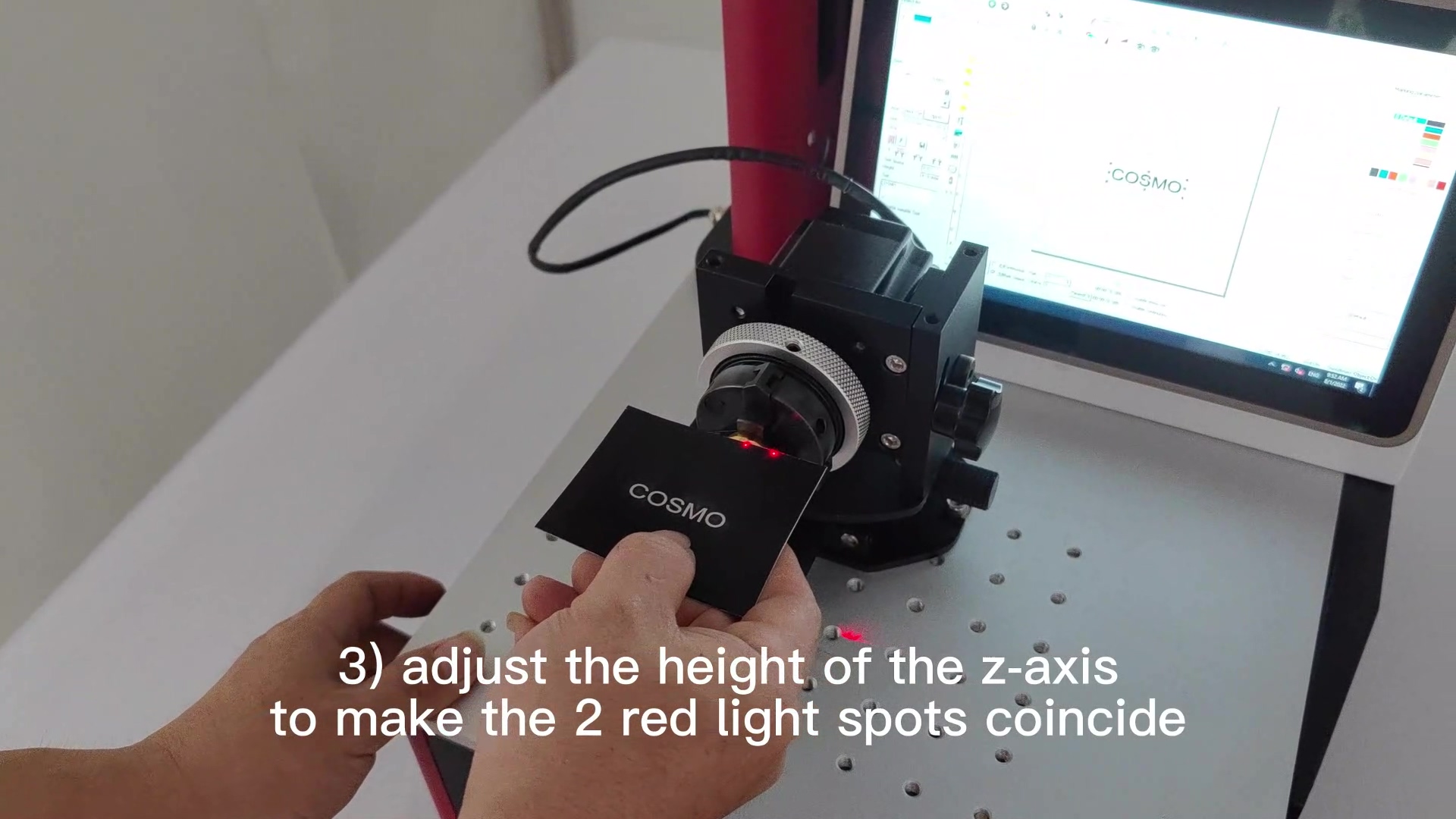
adjust the height of the z-axis to make the 2 red light spots coincide

3) 2 つの赤い光点が一致するように Z 軸の高さを調整します。

adjust the X, Y workbench below to make the red light points at the centre of the ring

4) 下の X、Y ワークベンチを調整して、リングの中心に赤いライト ポイントを作成します。
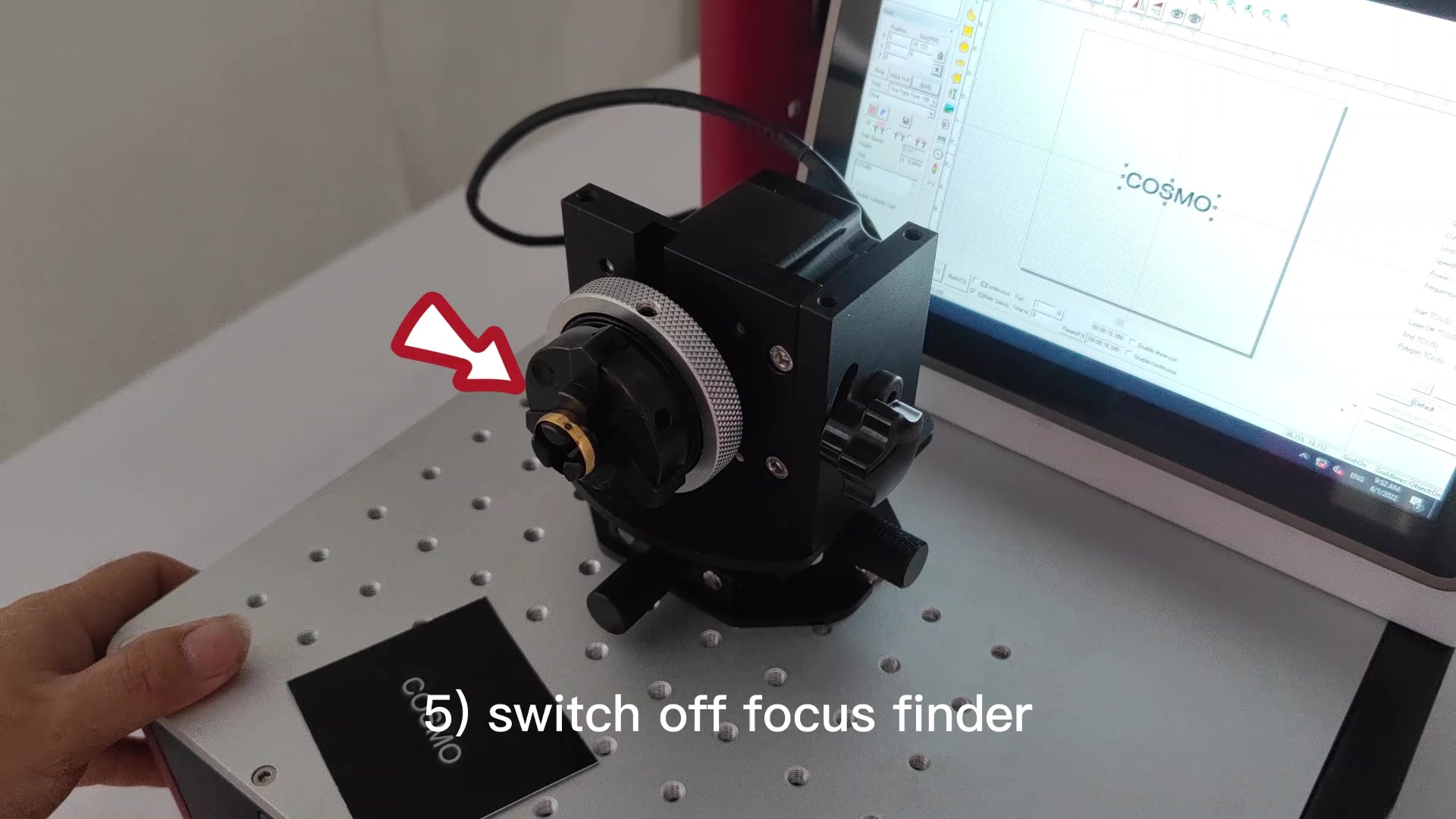
switch off the focus finder
5) フォーカスファインダーのスイッチをオフにする
according to the instructions in the video, enter the content to be marked in the marking software
6) 動画の指示に従って、マーキングソフトにマーキングする内容を入力します。
red light preview
7) 赤信号のプレビュー
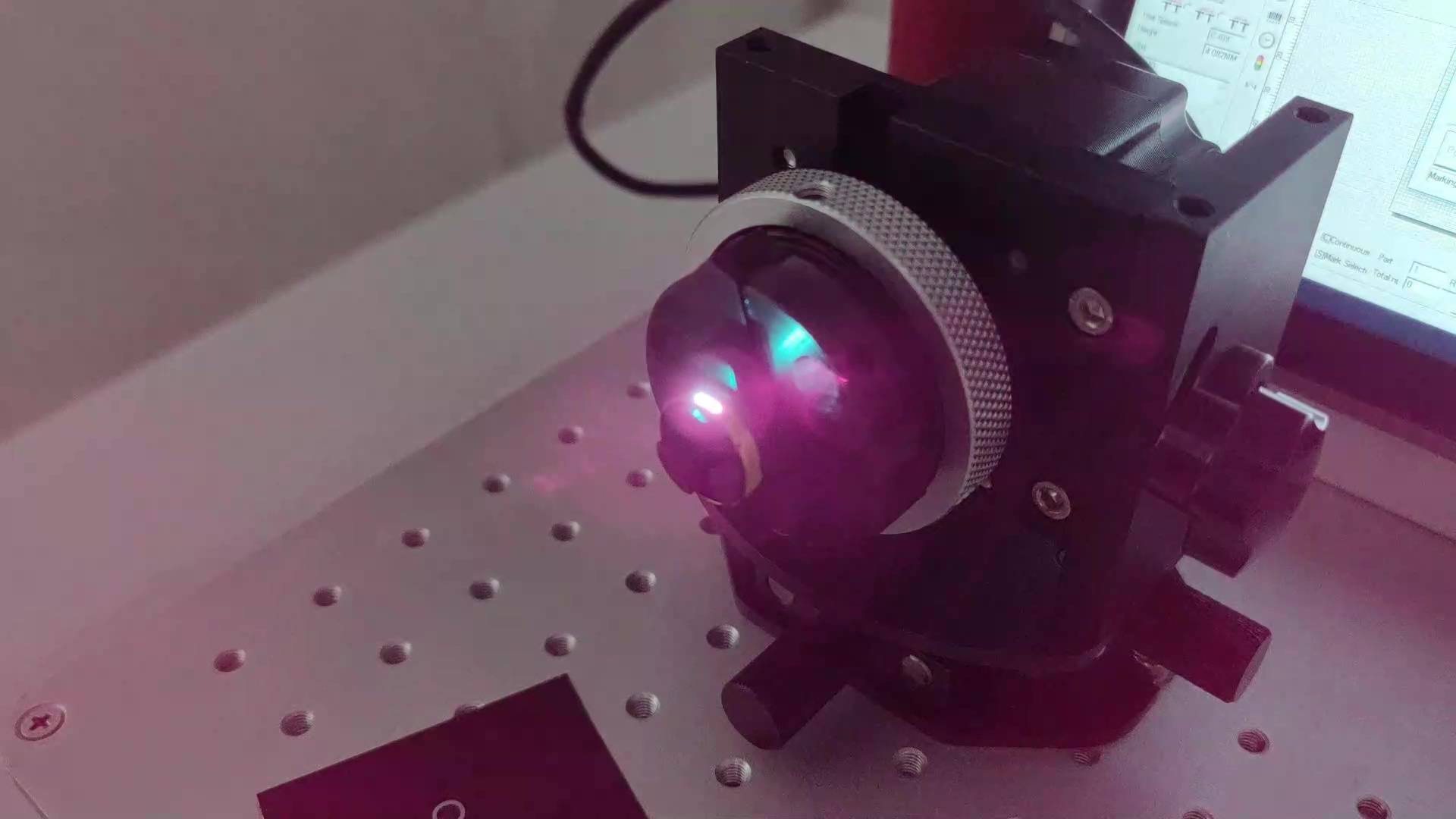
laser marking
8) レーザーマーキング
基本情報
  • 年設立
    --
  • 事業の種類
    --
  • 国/地域
    --
  • メイン産業
    --
  • 主な製品
    --
  • エンタープライズリーガル人
    --
  • 総従業員
    --
  • 年間出力値
    --
  • 輸出市場
    --
  • 協力したお客様
    --
推奨

お問い合わせ

お問い合わせ

お問い合わせフォームにメールアドレスまたは電話番号を残していただければ、さらに多くのサービスを提供できます。

別添:
    コメントを追加

    お問い合わせを送ってください

    別添:
      別の言語を選択してください
      English
      Tiếng Việt
      bahasa Indonesia
      ภาษาไทย
      русский
      Português
      한국어
      日本語
      italiano
      français
      Español
      Deutsch
      العربية
      தமிழ்
      Türkçe
      Nederlands
      Bahasa Melayu
      हिन्दी
      বাংলা
      現在の言語:日本語